Roblox Obby Thumbnail Maker— parkour screenshots, big titles, ready in minutes
An obby thumbnail has one job: make a player believe the course is worth falling off. Upload the moment your character is mid-jump, add a short shout of a title, and export at 1920×1080 — the size Roblox documents in itstextures and decals docs. Same editor as the homepage, tuned for obstacle courses.
Download your thumbnail as a PNG at 1920×1080 — switch to 1280×720 for a YouTube cover. Roblox and YouTube specs: Roblox thumbnail size guide.
An obby cover almost always targets the detail-page slot: 16:9 at 1920×1080, under 3 MB in the home-page slot. The export here already matches, so the only decision is which frame sells the jump. Exact numbers for every slot sit in the Roblox thumbnail size reference, and where the file goes after export — including why it sometimes never appears — is the thumbnail inserter path.
Three Obby thumbnail layouts to try
The first example uses a gameplay frame from a Roblox Staff Platformer demo; the other two use gradients. All three were made with ThumbBlitz. Compare how a short title and outline work with each background, then use a screenshot from your own obby before publishing. For a different look with the same editor, try the 3D thumbnail maker or the cartoon thumbnail maker.
Alternating Platforms
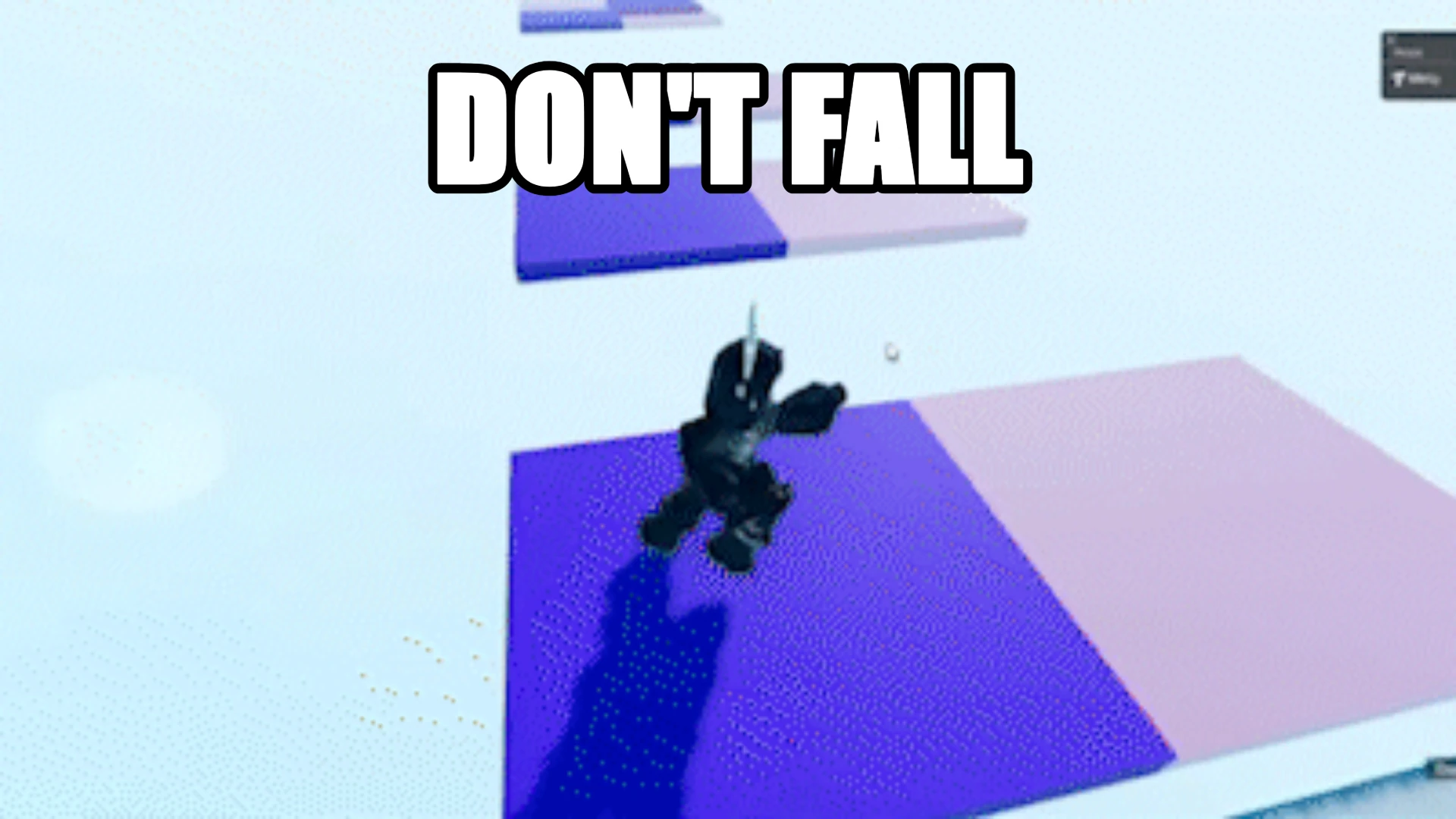
Try this layout: Gameplay frame · Impact Bold · No stickers · 1920×1080
Source: Roblox Staff's Platformer stream recap — alternating collidable platforms demo.
Don't Fall
Try this layout: Sunset Pop backdrop · Arial Sun · Question · 1920×1080
Speedrun Challenge
Try this layout: Roblox Blue backdrop · Impact Neon · Bolt · 1920×1080
Use your own game image
Upload a screenshot from your own obby to replace an example background. Keep the obstacle or route visible, use a short title, and add a sticker only when it helps explain the challenge. No screenshot handy? Start from a ready-made thumbnail template instead — every template opens pre-configured, so you only swap in your own cover text.
Why obby thumbnails behave differently
A pretty empty hallway loses to a character mid-fall. The screenshot should contain a moment, not a location.
"Stage 40" tells the player how much game is waiting. "Amazing obby" tells them nothing.
That is roughly how wide your thumbnail appears in a discovery rail. If the title cannot be read there, shorten it rather than shrinking the font.
Obby, simulator, tycoon — what actually changes in the thumbnail
The layout rules here are genre rules, not obby-only rules. What changes between genres is the one object the player is chasing, and that object has to be visible at 200 pixels wide. The layout is otherwise identical, which is why there is one editor rather than one tool per genre.
The moment of failure or the finish line. Stage numbers beat adjectives, because the number tells the player how much game is left.
The reward, not the map: the pet, the currency stack, the hatch animation frame. Players scan for the thing they are grinding toward.
Scale and completion — a finished base or a money counter mid-rise. An empty plot reads as an unfinished game.
Working on a specific game instead of a genre? The per-game layouts live on theRoblox game thumbnail makerhub, which points at the titles that still carry enough search volume to justify a page of their own. Those genres share this editor and this 1920×1080 export.
Obby title patterns that hold up
Type any of these straight into the editor above, then change the words to match your course.
Short, competitive, promises a session length.
The question mark and double punctuation pattern works because it mirrors the way obbies are actually titled.
Shows progress, which is the main reason people click an obby.
Signals fresh content to players who already finished the last version.
Where an obby thumbnail shows up
Obbies are the most competitive category on the platform for one reason: players pick the next course from a grid of small images, not from a description. Your thumbnail is competing against forty others in the same scroll.
- ▸Search results, where your image sits beside a dozen near-identical courses.
- ▸"More like this" rails, which are driven by what the player just finished.
- ▸Your profile page, where returning players decide whether the update is worth it.
- ▸External share links, where the image is often all that gets seen.
Five steps to an obby thumbnail
Use the editor above — nothing here needs a separate app.
- 1Stand at a section with real verticality and take the screenshot while moving.
- 2Upload it and crop mentally: keep the obstacle in frame, not the empty start pad.
- 3Write a title of six words or fewer, then check it at preview size.
- 4Add one arrow or highlight pointing at the hardest part of the course.
- 5Export 1920×1080 and upload it under your place thumbnail settings.
Where obby thumbnails go wrong
Most failed obby covers share the same three mistakes. None of them are design skill issues.
- !The character is tiny and the scenery is huge — move closer instead of zooming in later.
- !The title uses four lines. One or two is the ceiling at discovery-rail size.
- !Text overlaps the character's face, which is the part players are reading.
- !Edited on a phone and exported at 720p, then upscaled — export at full size from the start.
›Do these obby layouts work for simulator or tycoon games?
Yes — the layout rules are genre rules. What changes is the object you put in the frame: the fall or finish line for an obby, the pet or currency reward for a simulator, a finished base or money counter for a tycoon. Export size stays 1920×1080.
›What size is a Roblox obby thumbnail?
1920×1080 at 16:9 is the spec to target. The tool exports that by default and can switch to 1280×720 or 512×512 without losing your layout.
›Do I need a screenshot from inside the game?
It helps, because players recognise actual gameplay. But anything you have the right to use works — the editor does not check the source.
›How many words should an obby title be?
Six or fewer. At the width a thumbnail occupies in a discovery grid, longer titles stop being readable long before they finish rendering.
›Does this tool use AI to make the image?
No. It lays your text and stickers over your own screenshot. Nothing is generated, which means the result always matches what players will actually find in your game.
›Can I make a thumbnail for a YouTube video with it?
Yes — switch the export size to 1280×720, which is the YouTube thumbnail specification, and the composition carries over unchanged.
More makers
Same editor, different opening preset — every page below drops you into a canvas already set up for that game's colours, export size and title patterns.
1920×1080 covers, no watermark
One editor, a preset for every game
How the no-model workflow works
Upload, moderation and Studio steps
Square 512×512 place icons
512×512 plus the 150×150 display trap
How an upload becomes an rbxassetid number
Neon type and particles without 3D rendering
Grass-block, Nether and End backdrops at 1280×720
Night palette for clutch and chase titles
Team-colour PvP and bed-break frames
Harvest and update covers